Start with real source material
Read PDF, DOCX, spreadsheets, images, Markdown, text, and existing workspace documents.

AI for complete business documents
Use Autype's document-optimized agent or connect the AI you already trust. Research, write, revise, validate, and deliver branded documents without asking a general model to rebuild the format every time.
Start in the workspace or connect a compatible MCP client.
Create a board-ready Q3 report from these files. Use our approved style and update the risk section.
A document specialist inside the workspace
Autype's built-in agent is optimized for document work, not generic chat. Its workflow is shaped by patterns evaluated across more than 4,500 business documents, so it plans for structure, evidence, reuse, layout, and final delivery from the start.
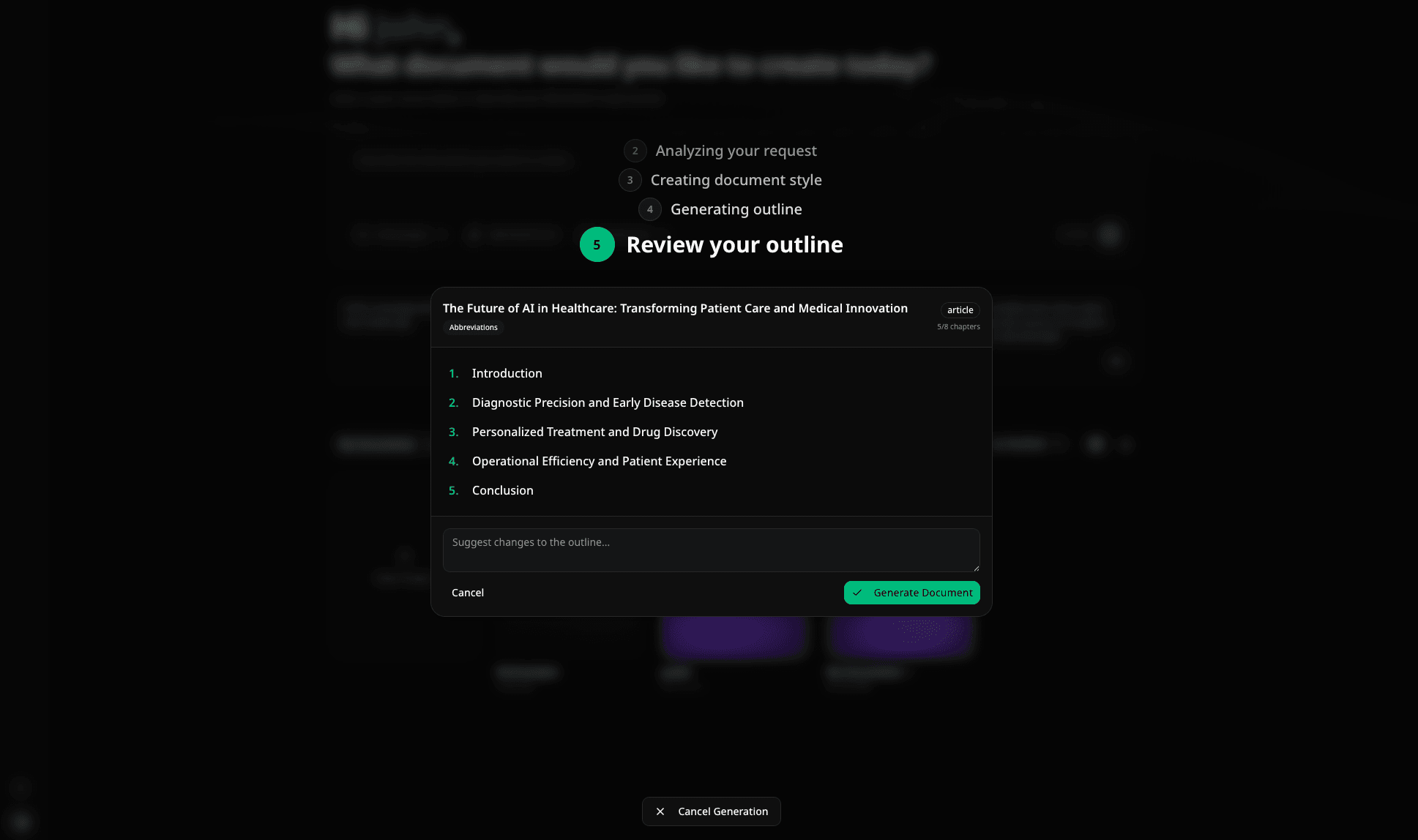
Document-native from input to output
The agent can gather evidence, use your organization's approved resources, build structured elements, and check the result. You stay focused on the decision the document needs to support.
Read PDF, DOCX, spreadsheets, images, Markdown, text, and existing workspace documents.
Search uploaded files and the web, then keep the source context attached to the draft.
Detect missing template values or an unclear brief and ask focused follow-up questions.
Find organization styles, templates, records, and reusable blocks instead of recreating them.
Create tables, charts, citations, images, variables, references, and document form fields.
Repair structural issues, check the document model, and generate a real preview before delivery.
Concrete document work
Autype can start from a blank brief, a trusted template, last month's document, or a targeted edit. The result remains a normal document your team can continue editing.
Request
Turn last quarter, the new spreadsheet, and these meeting notes into the Q3 board report.
Agent plan
Reuses the approved report style
Workspace resources
Updates charts and variables
Structured document edit
Checks headings and sources
Validation pass
18 pages · PDF + DOCX
Bring your own AI
Connect Autype as a remote MCP server. With Builder Mode, your agent can assemble documents in controlled stages, patch only relevant regions in long files, reuse approved resources, render the real pages for visual inspection, validate, and return the final file.
Your AI client
 ChatGPT
 VS Code
Claude Desktop and Code, OpenAI agents, Gemini CLI, GitHub Copilot, Cursor, Windsurf, and other compatible clients.
Autype MCP
Document tools your agent can call
AI inside the document
Autype's assistant searches and reads only the context it needs. Ask it to rewrite, restructure, translate, update metadata, or insert a new section. Every proposed change stays reviewable.
Suggested change
Executive summary · revision 18
Before
The service platform expanded during the quarter. Adoption improved in several regions and the team expects further progress.
Proposed
Regional adoption rose by 18% after the service platform expanded to four new markets. The next quarter will focus on renewal conversion and delivery consistency.
A smaller context for a bigger document
General AI tools may need to emit Python, HTML, or verbose OOXML and often reread large files. Autype gives the model compact Extended Markdown, referenced styles, focused retrieval, and targeted patches.
Create a branded 5-page proposal
66% less with AutypeRevise one section in a 30-page report
79% less with AutypeCreate a 50-page report with charts and figures from Excel data
63% less with AutypeAI alone creates or rewrites the DOCX through Python or OOXML. With Autype, the model works in compact Extended Markdown, reuses approved styles, retrieves only relevant chunks, and applies targeted patches. Comparison setup: ChatGPT 5.6 SOL + Autype MCP versus GPT 5.6 SOL Only.
Why not just use ChatGPT or Claude?
Use the model for reasoning and language. Use Autype for the persistent structure, reusable organizational knowledge, controlled changes, and production-ready output around it.
Frequently asked questions
The practical details of using Autype's own agent or connecting another one.
They can write strong content and can sometimes assemble a file with Python, HTML, or OOXML. Autype gives the model a persistent document system for styles, reusable content, structured data, long-document patches, validation, and repeatable output. The combination is stronger than either product alone.
No. Autype includes its own document agent in the workspace and an assistant inside the editor. MCP is available when you prefer to work from Claude, OpenAI, Gemini CLI, GitHub Copilot, Cursor, Windsurf, or another compatible client.
It can create or reuse complete business documents, fill templates from source files, use workspace styles and blocks, generate structured content and images, run web research, ask for missing values, validate the result, and save it as a normal editable Autype document.
The agent maps the document into addressable regions, searches for relevant passages, and retrieves or patches focused chunks. It does not need to place the complete document into every model request, although model context limits still apply.
Document-assistant changes are proposed against a specific revision. If the document changed in the meantime, the stale proposal cannot silently replace the newer content.
Yes. It can search organization styles, templates, reusable blocks, records, and existing documents. A block can remain a live reference, and a style can be applied by its shared preset instead of copied into every prompt.
No. The chart uses illustrative estimates to explain the architectural difference. Real usage depends on the model, prompt, files, document length, and task. A public claim should use a reproducible benchmark before publication.
Start with the built-in document agent or connect the AI client already in your workflow.
Built-in AI and MCP use the same structured document platform.