
Updated 11 mars 2026
When Should You Use Markdown for Documents?
Markdown is ideal when you need structured, version-controlled documents that can be processed by automation systems. Unlike Word files, Markdown documents are plain text, perfect for templates, API integration, and AI workflows.
What is Markdown?
Have you ever wondered why developers love Markdown so much? Markdown is a lightweight markup language that uses simple symbols to format text. Instead of clicking buttons to make text bold, you write **bold**. Instead of using menus for headings, you write # Heading. Instead of navigating toolbar menus for lists, you simply type - item.
The example below shows everything Markdown can do: headings, bold, italic, numbered lists, bullet points, tables, and blockquotes. All with simple, readable syntax.
Markdown was created in 2004 by John Gruber and has become the standard for:
- Documentation: README files, technical docs, wikis
- Content management: Blogs, static sites, knowledge bases
- Note-taking: Obsidian, Notion, and countless other tools
- Communication: GitHub, Slack, Discord all support Markdown
Over 90% of GitHub repositories use Markdown for their documentation. It is the lingua franca of technical writing.
A complete Markdown document example
# Project Proposal

## Executive Summary

This proposal outlines the **Q4 marketing strategy** for
our *European expansion*. Key objectives include:

1. Launch campaigns in 3 new markets
2. Increase brand awareness by 40%
3. Generate 500+ qualified leads

## Budget Overview

| Category     | Budget   | Timeline  |
|-------------|----------|----------|
| Digital Ads  | $25,000  | Oct-Dec  |
| Content      | $12,000  | Oct-Nov  |
| Events       | $8,000   | November |

## Next Steps

- Schedule kickoff meeting with stakeholders
- Finalize creative assets by **October 15th**
- Set up tracking and analytics

> "The best marketing doesn't feel like marketing."
> — Tom Fishburne
Why Markdown Beats Word for Certain Use Cases
Word is great for one-off documents where you need full visual control. But for structured, repeatable documents, Markdown has advantages:
- Plain text: No proprietary format, works everywhere
- Version control: Track changes with Git like code
- Automation-friendly: Easy to generate and process programmatically
- Separation of concerns: Content is separate from styling
- Lightweight: No bloated file formats, fast to process
When your documents are part of a workflow, not just standalone files, Markdown makes everything easier.
When Word is Still the Right Choice
Markdown is not always the answer. Word (or similar WYSIWYG editors) is better when:
- Creative formatting: You need unique layouts, custom tables, artistic designs
- One-off documents: A single letter or memo does not need automation
- Non-technical users: Some teams prefer visual editing
- Complex layouts: Multi-column designs, precise positioning
- Existing workflows: Your organization is built around Office
The key is matching the tool to the task. Autype actually supports both: you write in Markdown but can export to DOCX for Word users.
How Autype Makes Markdown Professional
Raw Markdown produces basic output. Autype transforms Markdown into professional documents:
- Professional styling: Define fonts, colors, spacing once
- PDF export: Print-ready documents with proper typography
- DOCX export: Share with Word users without losing formatting
- Variables: Dynamic content insertion for personalization
- Real-time preview: See your formatted document as you type
You get the simplicity of Markdown with the polish of professional document software.
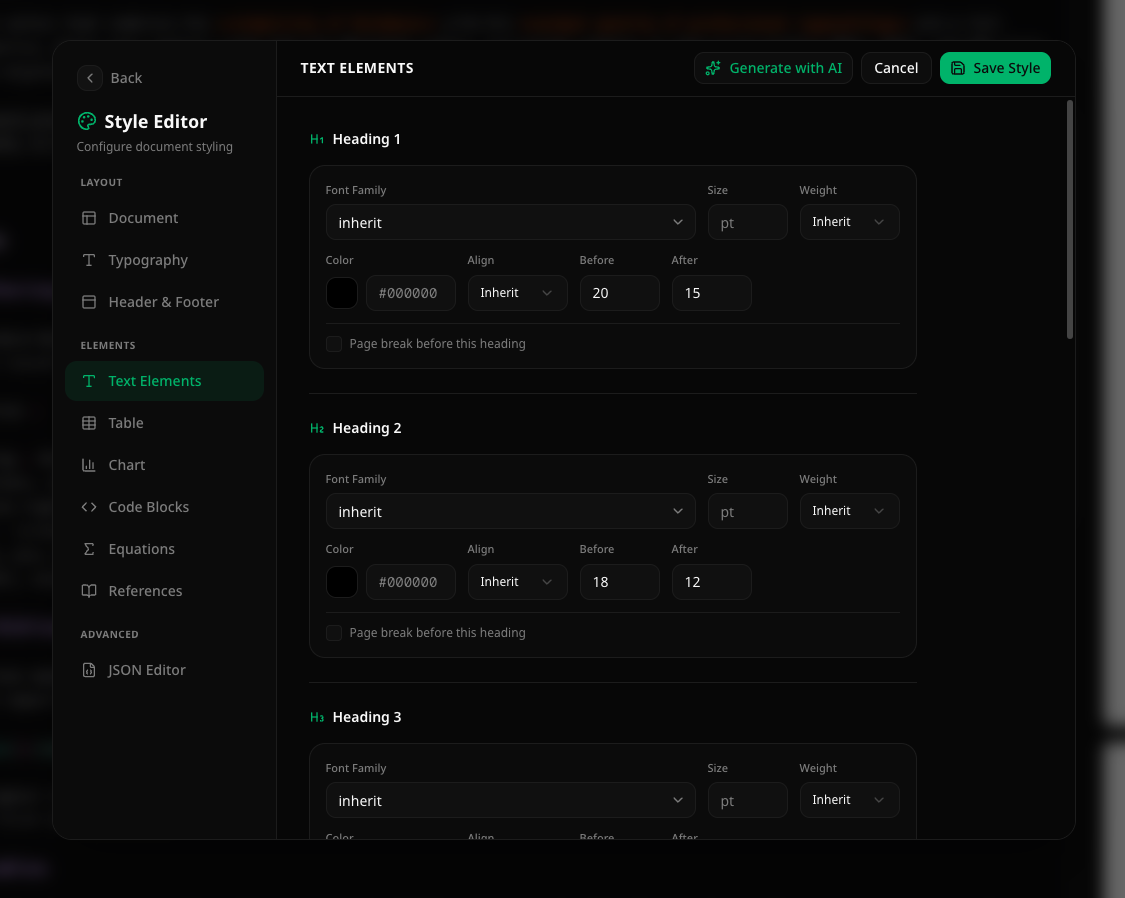 Autype style configuration for text elements
Latest Articles
How AI Agents Generate Documents via MCP: A Developer's Guide to Document Generation in 2026
Discover how the Model Context Protocol (MCP) lets AI agents generate documents natively — no custom API code needed. A practical guide with real examples and Autype MCP integration.
Read articleWhy Free Formatting Causes Document Chaos – and Structure is the Solution
Discover why flexible formatting leads to document chaos and how structured templates create order – with practical solutions.
Read articleTemplate vs. Custom Rendering: When Which Document Generation Makes Sense
Template-based or custom rendering? Learn when each approach to document generation is worthwhile and how to find the right balance.
Read articleReady to automate your documents?
Start creating professional documents with Autype. No credit card required.