Updated 11 de marzo de 2026
How Autype Differs from Traditional Editors
Traditional editors like Word focus on manual formatting. Autype separates content from presentation. You write in Markdown, define styles once, and every document is automatically consistent.
The Traditional Approach: Format as You Go
What if you could eliminate formatting work entirely? In Word, Google Docs, or similar editors, you format while you write. Select text, click bold. Adjust margins. Change fonts. Copy styles from another document.
This works fine for simple documents. But problems emerge at scale:
- Inconsistency: Different people format differently
- Style drift: Documents diverge from brand guidelines over time
- Maintenance burden: Updating styles means editing every document
- No automation: Each document is a manual effort
- Fragile formatting: Copy-paste often breaks layouts
A survey of enterprise teams found that 67% struggle with document consistency across their organization.
The Autype Approach: Define Once, Apply Everywhere
Autype inverts the traditional model. Instead of formatting each document, you:
- Define your styles once: Fonts, colors, spacing, heading sizes
- Write content in Markdown: Focus on what you are saying, not how it looks
- Generate output: Autype applies your styles automatically
Every document follows your defined styles. Update the style definition, and all future documents reflect the change. No manual formatting, no inconsistency.
Why This Matters for Teams
For individuals, the difference might seem minor. For teams, it is transformative:
- Brand consistency: Every document matches your guidelines
- Onboarding: New team members cannot break formatting
- Efficiency: Writers focus on content, not formatting
- Automation: Documents can be generated programmatically
- Quality control: No more "fix the formatting" review cycles
When documents are a core part of your business (proposals, contracts, reports), consistent quality matters.
Best of Both Worlds
Autype does not force you to abandon familiar formats. You write in Markdown (simple to learn) and export to:
- PDF: For final, print-ready documents
- DOCX: For colleagues who need Word files
- ODT: For open-source office suites
Your team can use Autype for creation and automation while still delivering files in formats everyone expects. The technical team gets automation, everyone else gets familiar file formats.
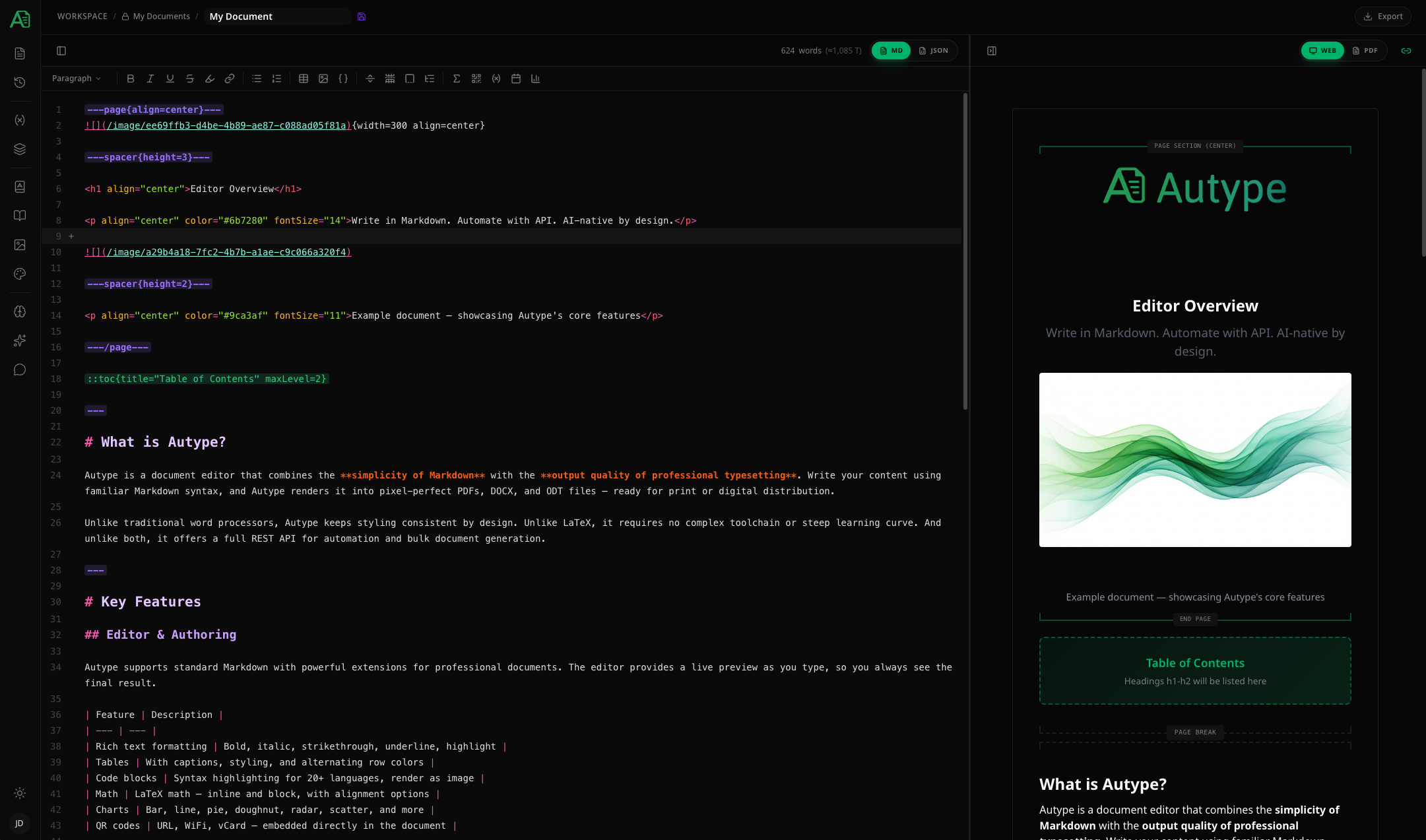 Autype Editor with Markdown and PDF preview side by side
Latest Articles
How AI Agents Generate Documents via MCP: A Developer's Guide to Document Generation in 2026
Discover how the Model Context Protocol (MCP) lets AI agents generate documents natively — no custom API code needed. A practical guide with real examples and Autype MCP integration.
Read articleWhy Free Formatting Causes Document Chaos – and Structure is the Solution
Discover why flexible formatting leads to document chaos and how structured templates create order – with practical solutions.
Read articleTemplate vs. Custom Rendering: When Which Document Generation Makes Sense
Template-based or custom rendering? Learn when each approach to document generation is worthwhile and how to find the right balance.
Read articleReady to automate your documents?
Start creating professional documents with Autype. No credit card required.